Identify the exact Riftbound card in front of you.
Point your iPhone at a Riftbound card. Lootstack identifies the exact printing, language, and foil finish, shows the TCGPlayer or Cardmarket price, and lets you add it to your collection or trade list.

Available now
for iPhone.
Same scanner, more games
Same scanner across every supported game.
From camera to collection.
Get the exact details without working through search results or guessing the finish.
- 01
Scan a card
Hold it in view. You can leave the sleeve on.
- 02
Check the match
See the exact printing, language, and foil finish. Correct any detail before you save.
- 03
Add it
Choose the condition, then send the card to your collection or a trade list.
Built for real trades
Trade without the back-and-forth.
Build the trade, compare every card, balance with cash, choose the meetup, and accept. Lootstack keeps both sides updated as the trade changes, so you only need to talk when there is actually something to say.
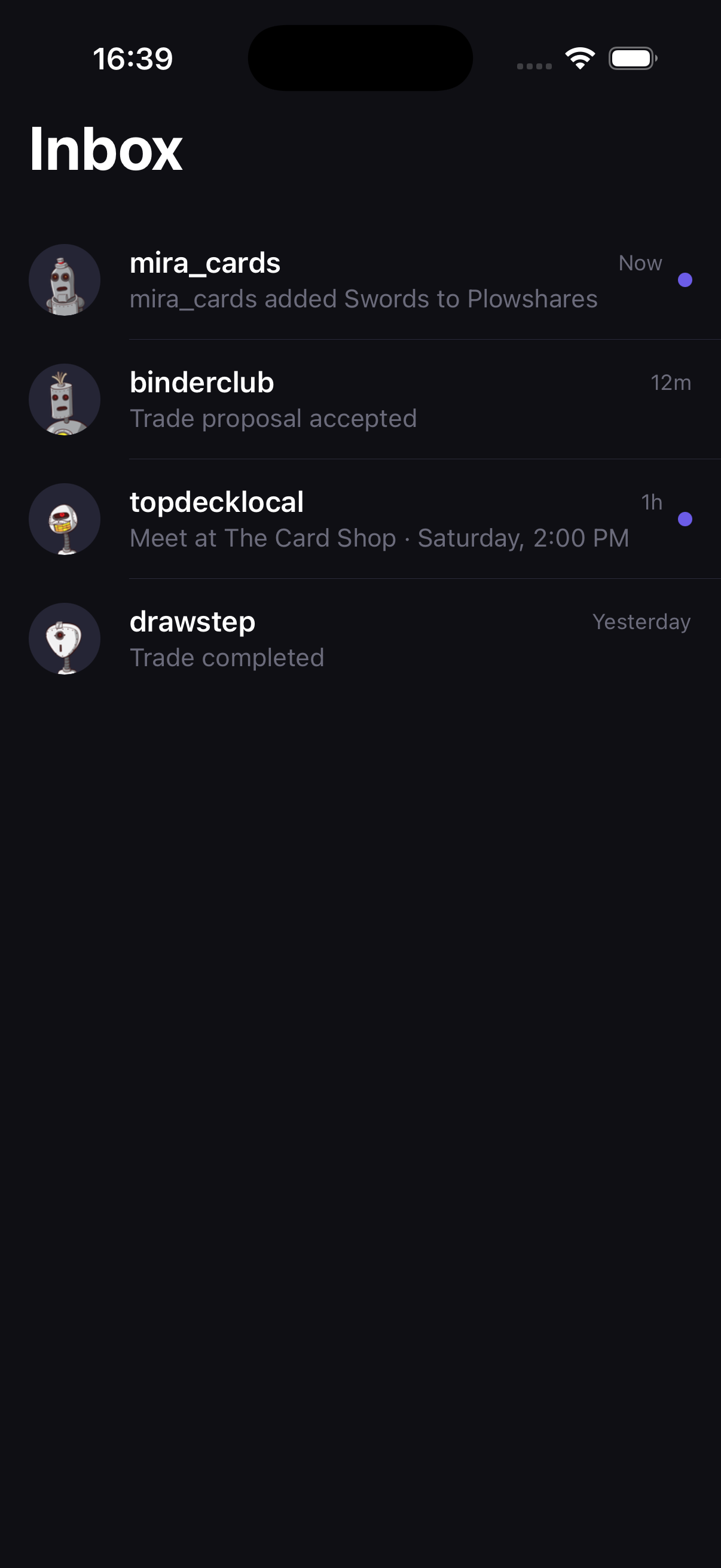
Everyone stays updated
Card additions and trade decisions appear automatically. Chat is there when you need it, not as another checklist.
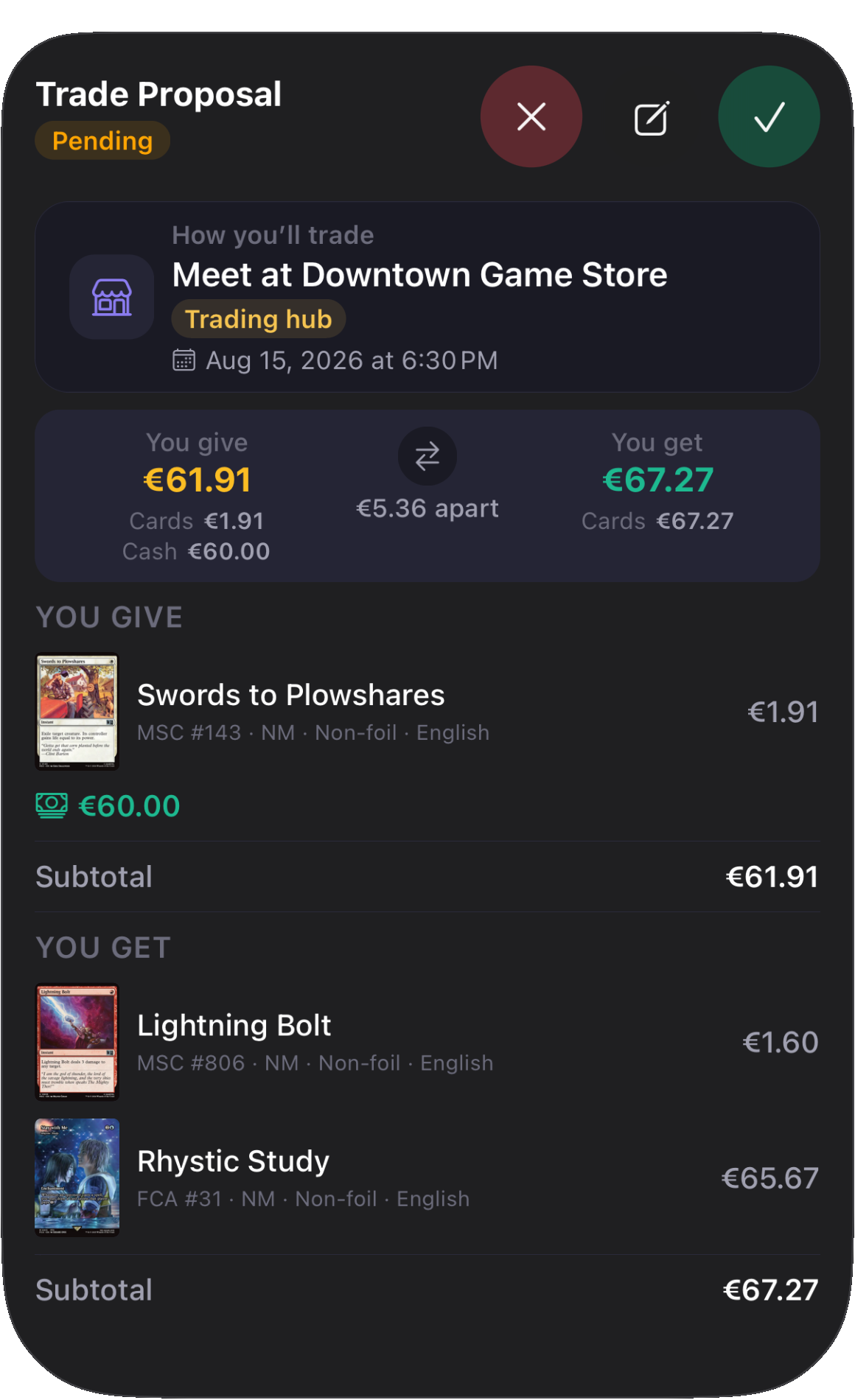
The whole trade, together
Cards, cash, meetup details, and acceptance stay in the trade instead of getting buried in messages.
See TCGPlayer or Cardmarket prices as you scan.
Card values and trades use the market and currency that make sense where you collect.
- TCGplayer
- US dollars ($)
- Cardmarket
- Euros (€)
Designed around collectors
Made for the way you actually collect.
Cards get sorted at a desk, passed across a shop counter, and checked mid-conversation. Lootstack reads the details while you decide where each card belongs.
- Leave the sleeves on.
- Built to work through sleeves and everyday glare. No staging or perfect lighting required.
- Check before you add.
- Printing, language, finish, and condition stay editable before the card reaches your collection or trade list.
- Correct, don't restart.
- Change the printing, language, finish, or condition from the result and carry on.
- Put it where it belongs.
- Add cards to your collection or the trade list you are already working on.
Scan your next Riftbound card.
Download Lootstack for iPhone and scan your first card.
Apple and the Apple Logo are trademarks of Apple Inc., registered in the U.S. and other countries and regions. App Store is a service mark of Apple Inc.